 Dharma Japa
Manual Count
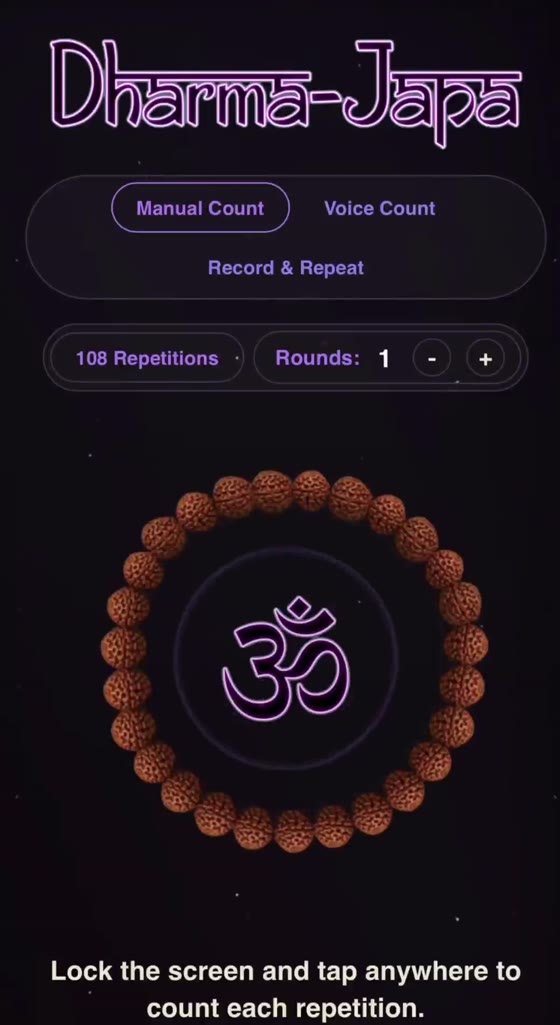
Tap once for each repetition. Lock the screen and tap anywhere, so you never have to look for a button.
 Mantra counter for iPhone, iPad and Android
Dharma Japa is a mantra counter built around the traditional 108-bead mala. Choose a deity, a mantra and a mala, then count by voice, by hand, or with your own recording.
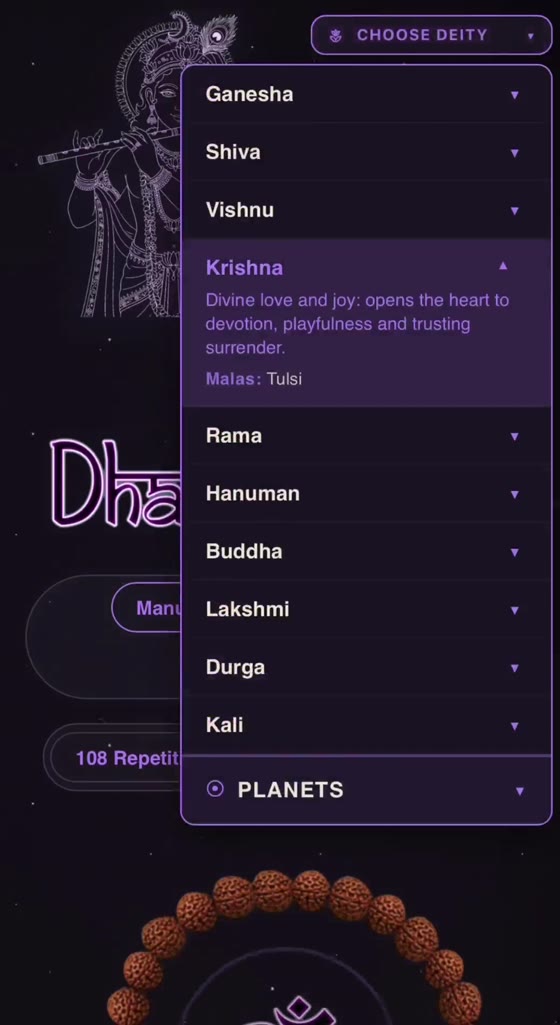
Repeating a mantra on a string of beads belongs to the Hindu and yogic traditions of India. Dharma Japa leaves the practice as it is and takes care of the counting.
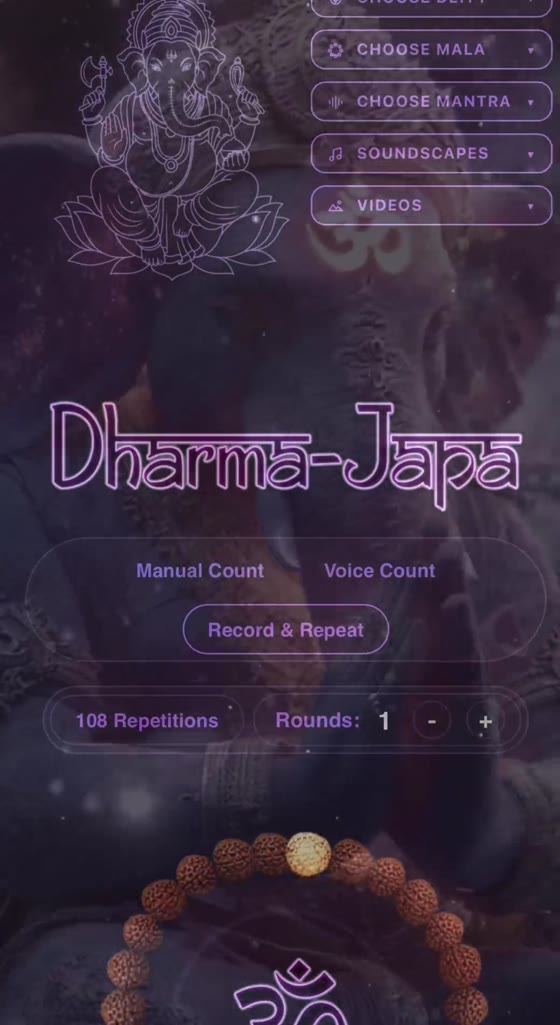
These are screens from the app itself.
Open the deity menu to read a short note on each one: what the tradition associates them with and which malas devotees usually choose. The notes describe the tradition and make no claims about results.
Each mantra comes with a short description and a play button, so you can listen to the pronunciation first. Mantras are listed in Sanskrit transliteration, such as Om Gam Ganapataye Namaha and Om Namah Shivaya.
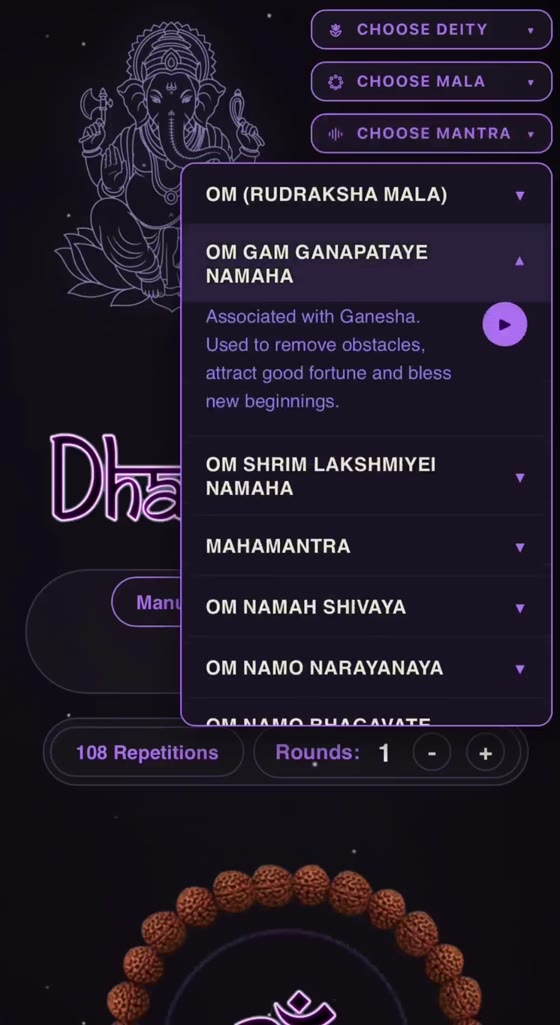
Tap once for each repetition. Lock the screen and tap anywhere, so you never have to look for a button.
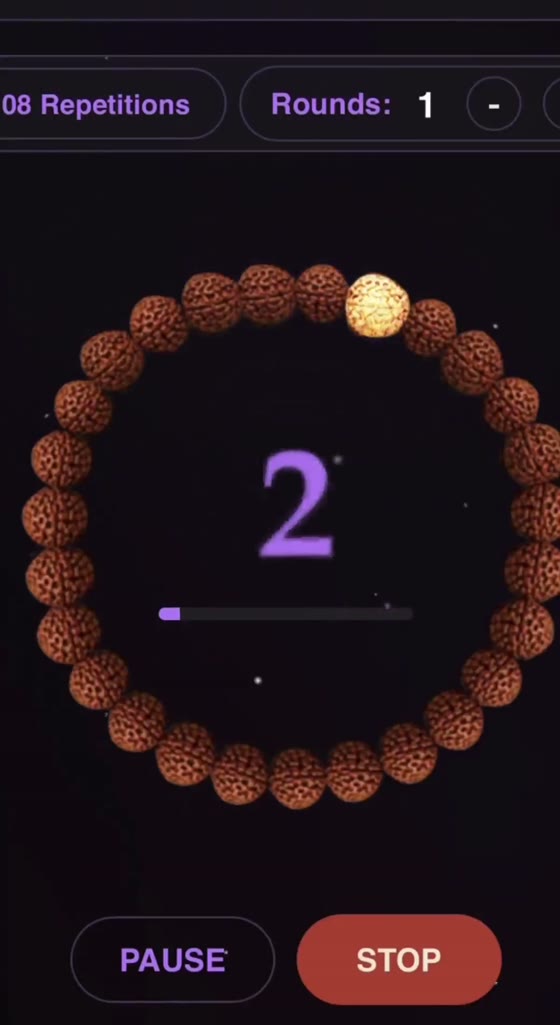
Chant aloud and the app counts each repetition from the sound of your voice. A small meter shows that it is listening.
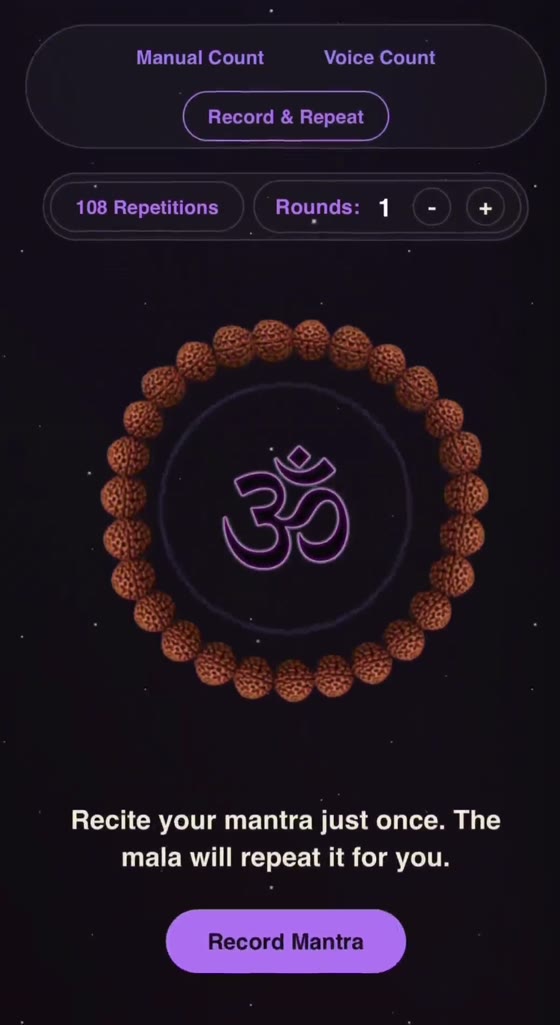
Recite the mantra once. The app repeats your recording round after round while the mala counts for you.
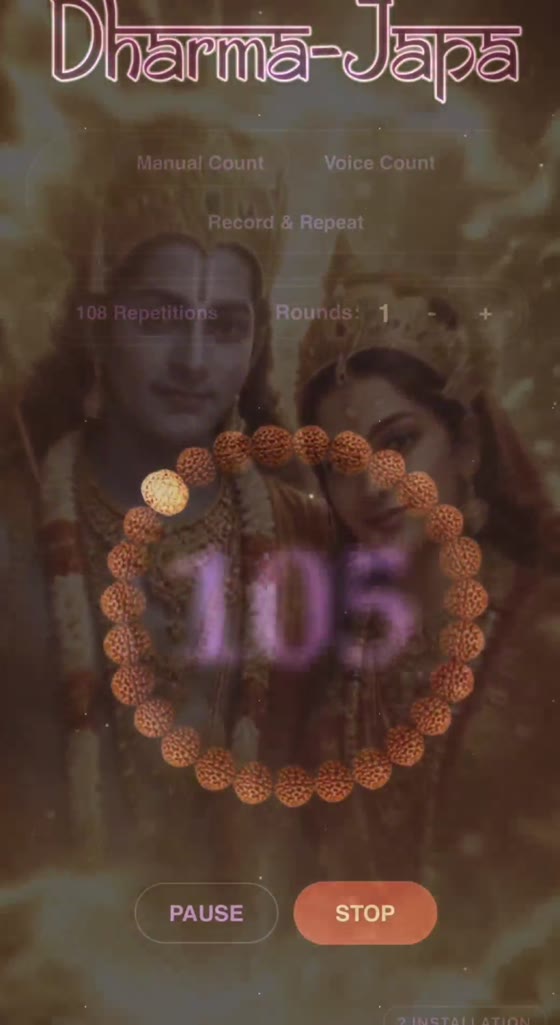
Choose the material you practise with. The mala fills the screen, one bead glows with each repetition, and a round is 108.
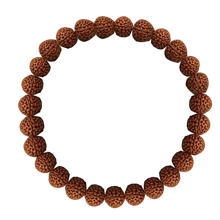 Rudraksha
 Tulsi
Tulsi Red Sandalwood
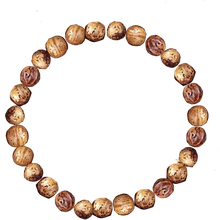 Bodhi
Bodhi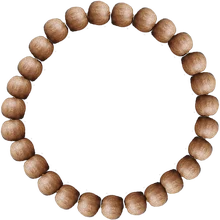 White Sandalwood
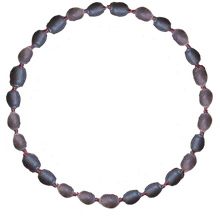 Lotus Seeds
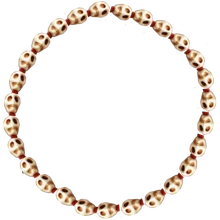 Bone
Bone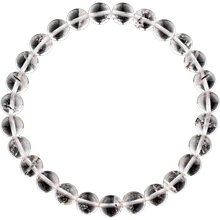 Sphatik (quartz)
 Ruby
Ruby Pearl
Pearl Red Coral
 Emerald
 Yellow Sapphire
 Diamond
 Blue Sapphire
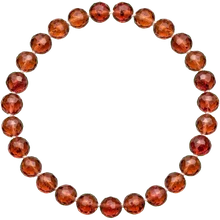 Hessonite
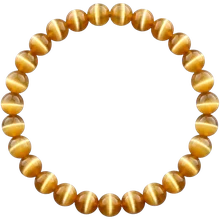 Cat's Eye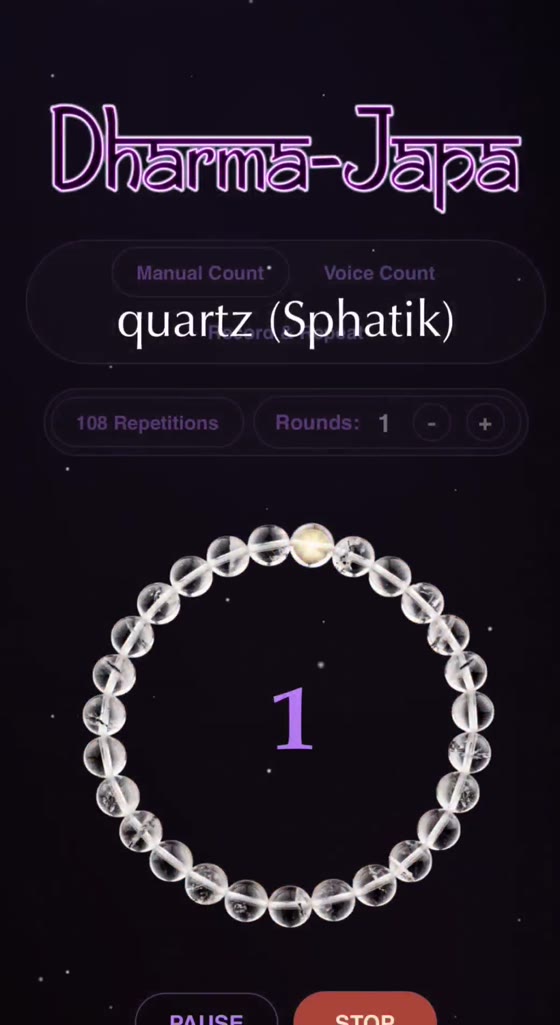
Choose a looping video and it plays gently behind the mala. Ganesha, Shiva, Nataraja, Krishna, Rama and Hanuman are among the many to pick from. You can also leave the screen plain.
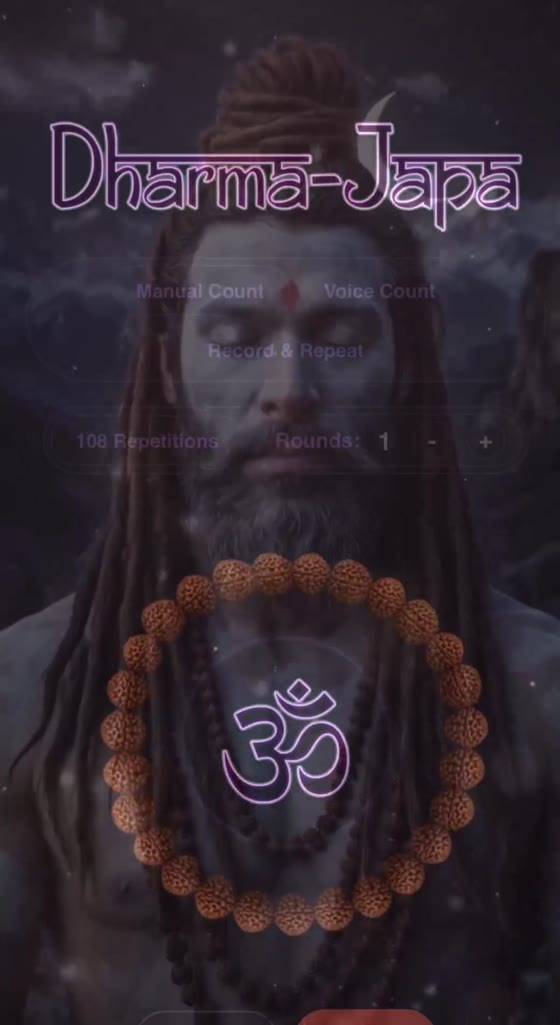
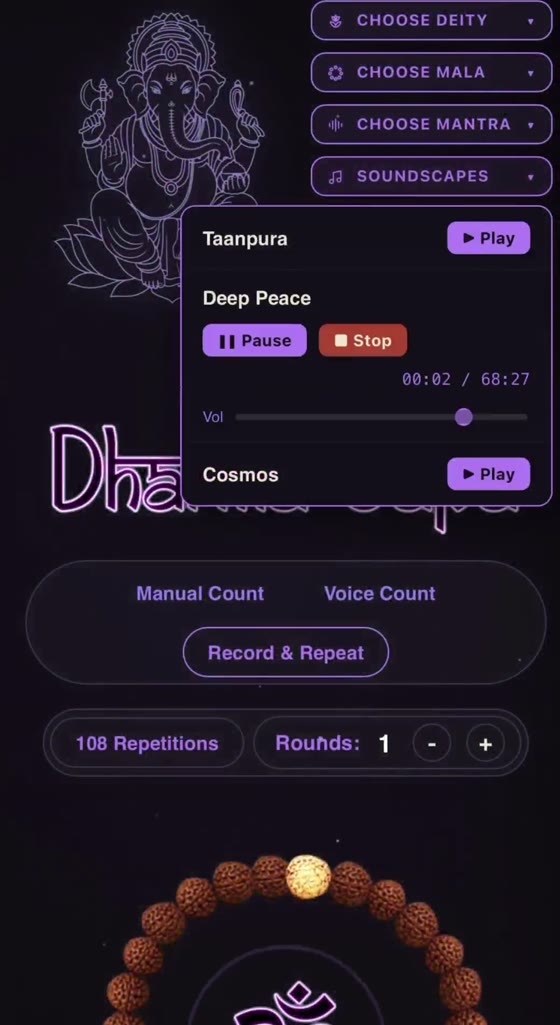
Play a tanpura drone or a long soundscape while you count, with its own pause, stop and volume control. A bell rings at the end of every round of 108, and a closing bell marks your last repetition.
A walkthrough of the app, from choosing a deity and a mala to counting your first round.
Pick a deity, read its note, hear the mantra, then choose the mala you practise with.
Manual Count, Voice Count or Record & Repeat. Add a drone or a video background if you want one.
Set the number of rounds. A bell rings at the end of each round of 108, and a closing bell sounds at your last repetition.
Premium is one license for your own use on up to two devices. If it is not for you, ask for a refund within 14 days.
Cards, PayPal and local payment methods, in your own currency.
Prefer Payhip? Pay there instead.
Prices are shown in euros. Taxes are calculated at checkout where they apply.

Dharma Japa is made by Carlos Pombo, the creator of Dharma Eterno, an independent project in Spain that publishes meditation, mantra and music inspired by the yogic tradition.
The app grew from a simple need: a counter that is pleasant to look at and does not get in the way of practice. Questions and feedback are welcome at [email protected].
No. It is a tool for counting mantra repetitions and accompanying the practice of japa, a repetition practice from the Hindu and yogic traditions. It gives no predictions, no personal readings and makes no promises about results.
Japa is the repetition of a mantra, spoken aloud, whispered or silent. Many practitioners count repetitions on a mala of 108 beads. Dharma Japa does the counting so you can stay with the sound.
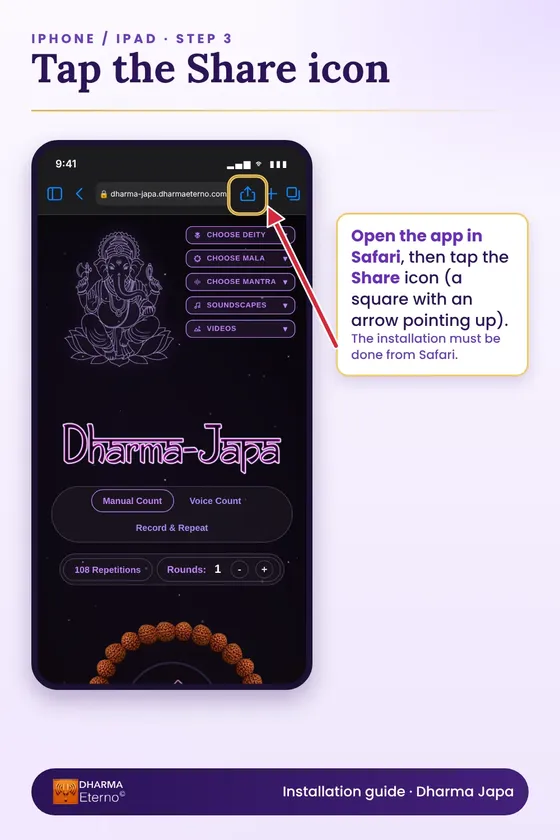
Any phone, tablet or computer with a current browser. On iPhone and iPad, open it in Safari and choose Add to Home Screen. On Android, open it in Chrome and choose Install app. It then opens like any other app.
No. Your browser asks for microphone permission the first time. The app measures the loudness of your voice on your own device to detect each repetition. Nothing is recorded or sent anywhere. Manual Count needs no microphone.
It stays in your browser while the app is open and is never uploaded. When you close the app, it is gone.
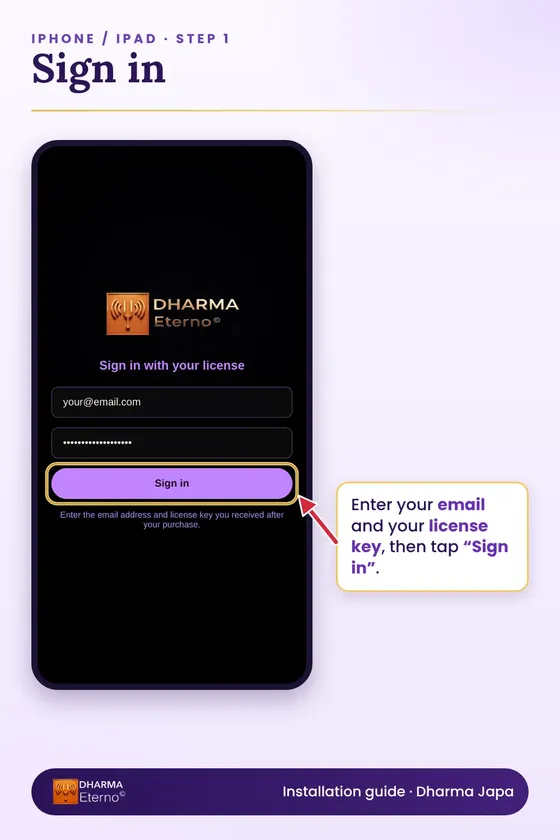
A license code by email, together with the link to open the app. You sign in with your email and the code.
Yes, on up to two devices per license. You can release one device to sign in on another.
Write to us within 14 days of purchase and we will refund you in full. The details are in the refund policy.
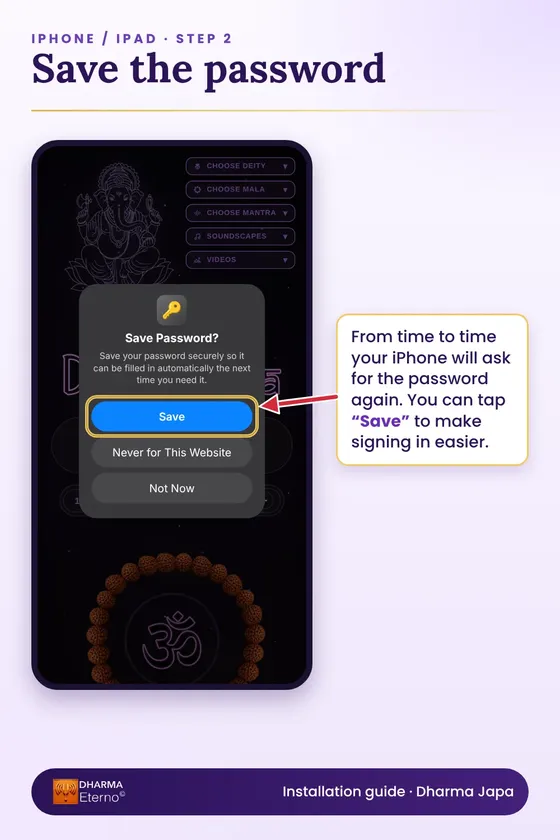
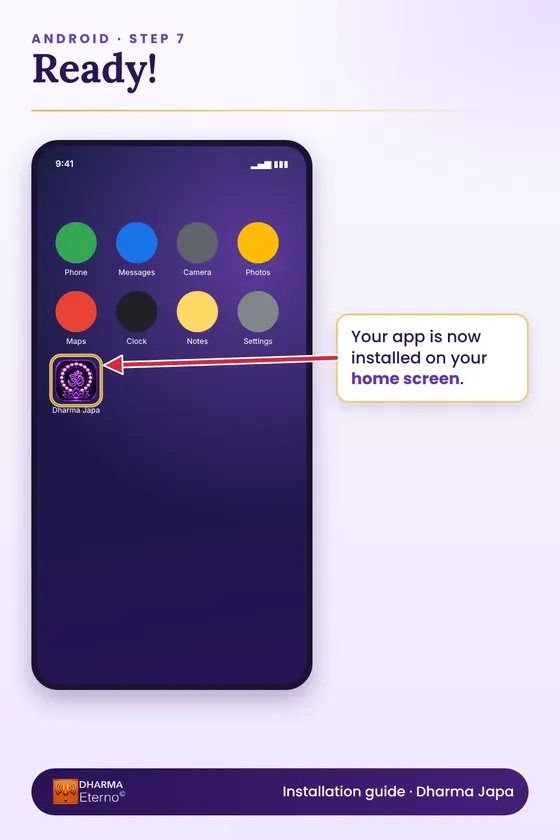
Dharma Japa runs in your browser, so there is no app store. Open the link, sign in with your email and license key, and add it to your home screen so it opens like any other app.
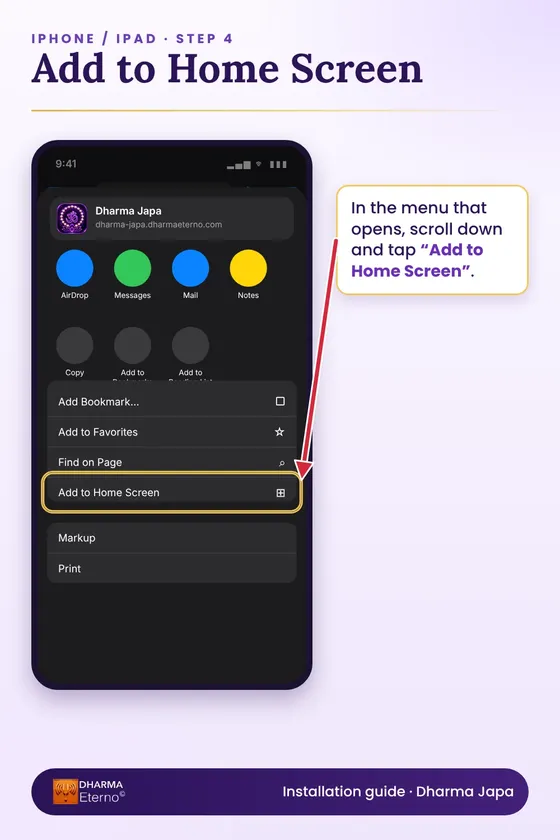
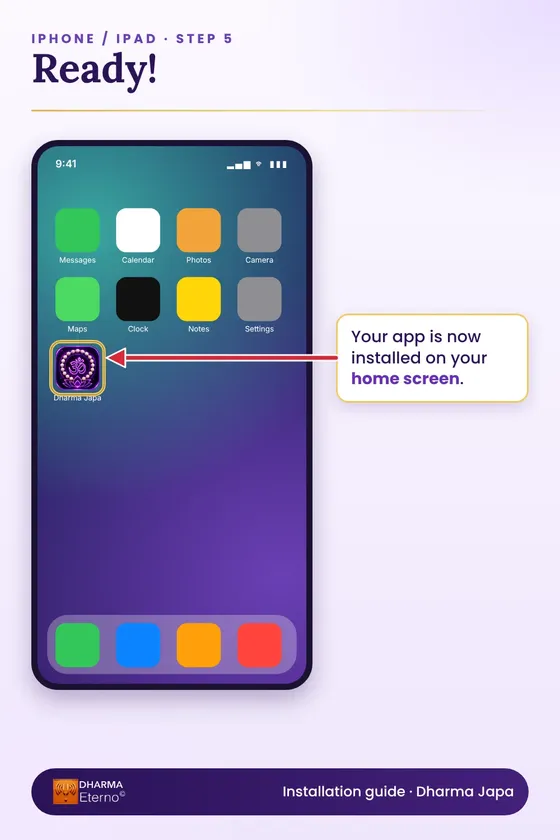
Open the app in Safari, tap the Share icon, then choose “Add to Home Screen”.
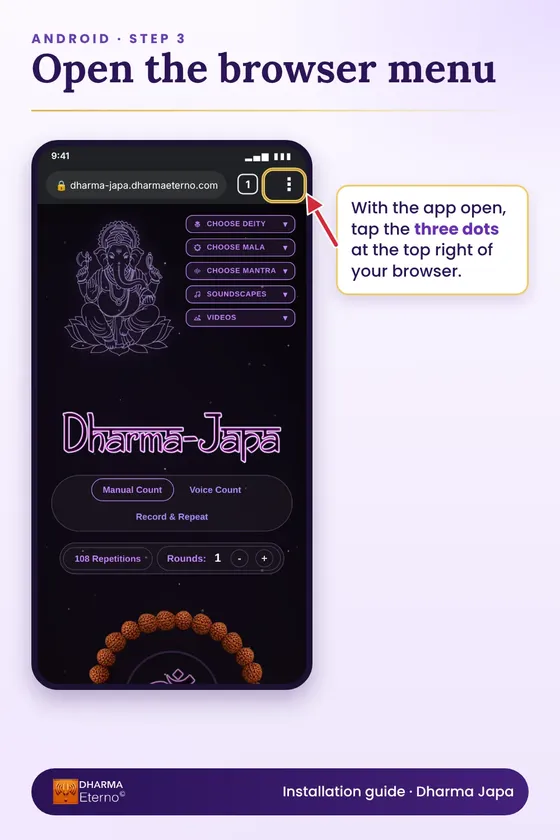
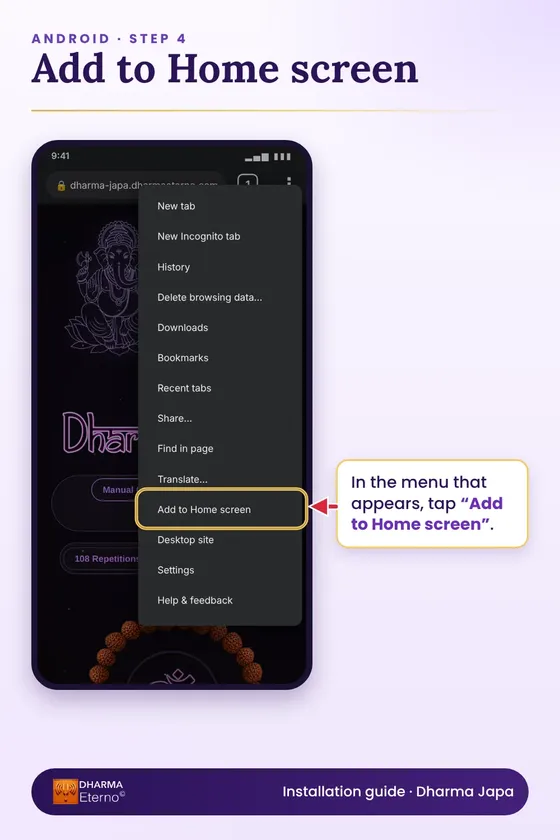
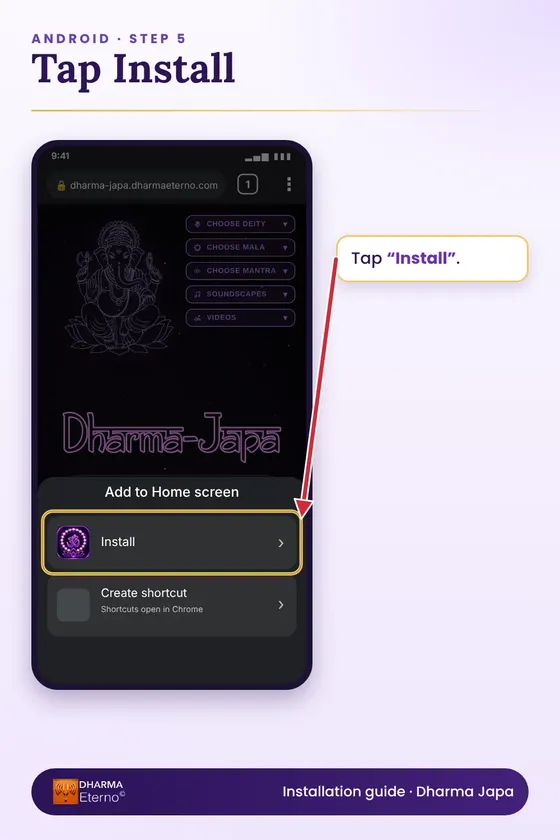
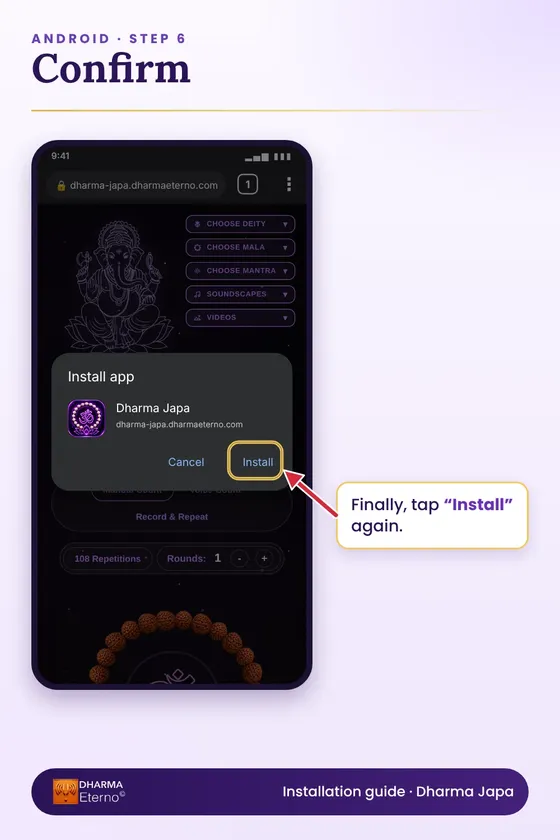
Open the app in Chrome, tap the three dots, then choose “Add to Home screen” and “Install”.
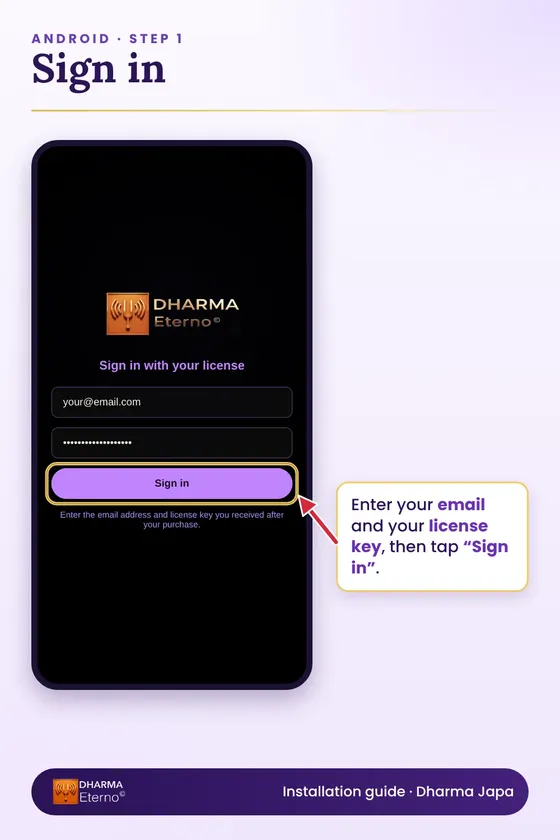
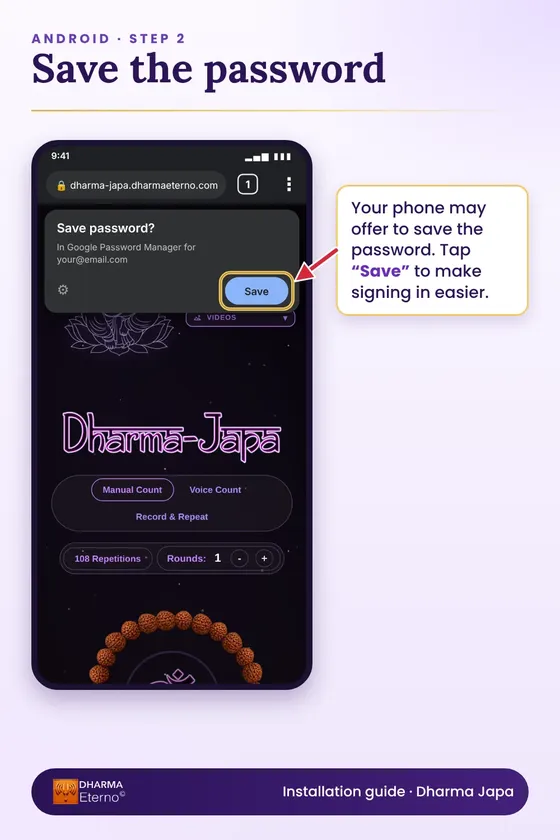
One license works on up to 2 devices. If you sign in on a third, the app offers to free up one of the others. Questions? Write to [email protected].
Effective October 11, 2026
Dharma Japa is published by Carlos Pombo, an independent publisher based in Spain ("we", "us"). You can reach us at [email protected].
Dharma Japa is a web application for counting mantra repetitions (japa). It is offered as a free version, Dharma Japa Lite, and a paid version, Dharma Japa Premium. Premium requires a license.
When you buy Premium we grant you a personal, non-exclusive, non-transferable license to use it on up to two devices. You agree not to share your license code, resell or sublicense the app, copy or extract its images, audio, video or text, or reverse engineer it.
The price is shown before you pay, in euros, and includes applicable taxes where the checkout adds them. Payment is handled by the payment provider named at checkout.
Premium is a digital product. We send your license code to the email address you give at checkout, normally within minutes of payment.
Our Refund Policy applies to every purchase.
Do not try to bypass the device limit or the license check, interfere with the service, or use the app for anything unlawful.
The app and everything in it, including its design, images, audio, video and text, belongs to us or our licensors. Your license gives you the right to use it, and no ownership.
Dharma Japa is a tool for a contemplative practice. It is not medical, psychological or therapeutic advice, and it makes no promise about health, wealth or any other outcome. Do not use it in situations where you need your full attention, such as while driving.
We work to keep the app available and may update, improve or change features over time. The app is provided as is, without a guarantee that it will always be uninterrupted or free of errors.
To the extent the law allows, we are not liable for indirect or consequential loss arising from the use of the app. Nothing in these terms limits your rights as a consumer under the law of your country.
We may suspend a license that is used in breach of these terms. You may stop using the app at any time.
These terms are governed by the law of Spain. Mandatory consumer protection rules of the country where you live continue to apply.
We may update these terms and will change the effective date above when we do. If you keep using the app after a change, you accept the updated terms.
Effective October 11, 2026
Carlos Pombo, Spain, is the controller of your personal data. Contact: [email protected].
Voice Count uses your microphone only while you are counting, and only after you give permission in your browser. The app measures the loudness of the signal on your device to detect each repetition. It does not record, store or send your voice. Record & Repeat keeps your recording in your browser's memory while the app is open and never uploads it.
To keep you signed in, the app uses one essential cookie that lasts up to one year, together with your browser's local storage and IndexedDB, which also remember your settings. We do not use advertising or analytics cookies, and we do not sell your data.
We use Cloudflare to host the app, a database service to store license, device and session records, an email service to deliver license codes, and a payment provider to take payment. They process data only to provide those services, and some may do so outside the European Economic Area under appropriate safeguards.
We process data to carry out our contract with you, to meet legal obligations such as tax records, and for our legitimate interest in preventing misuse of licenses. We keep license records while your license is active and purchase records for as long as the law requires.
You can ask for access to your data, correction, deletion, restriction, portability, or object to processing, by writing to us. You may also complain to the Spanish data protection authority, the Agencia Española de Protección de Datos.
The app is not directed to children under 16 and we do not knowingly collect their data.
We will update the effective date above when we change this policy.
Effective October 11, 2026
If Dharma Japa Premium is not right for you, email us within 14 days of your purchase and we will refund the full price. You do not need to give a reason.
Write to [email protected] from the email address you used to buy, and include your order reference if you have it.
The refund goes back to the original payment method. Depending on your bank or card, it can take several business days to appear. Once a refund is issued, your license is deactivated.
This policy adds to the rights you have under consumer law and does not reduce them.